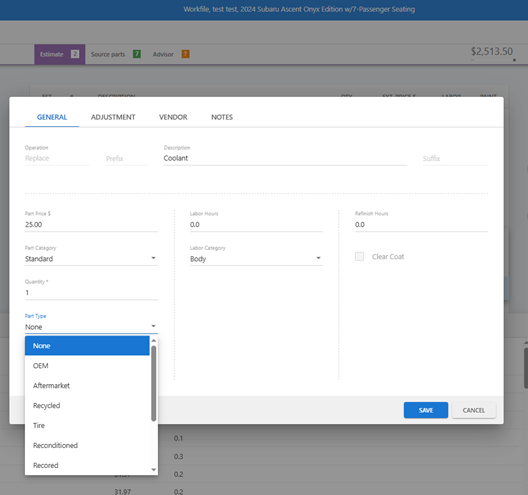
Accurate part sourcing ensures your estimates are precise and clear. Here is how to update the Part Type (e.g., OEM, A/M, RECY) based on how the part was added:
- For Manual Part Entries
If you are manually typing in a part, you can manually define its source:
- Navigate to the Estimate screen.
- Right-click on the part manual entry line.
- Select Line Properties to adjust the Part Type.
- For Database Part Selections
For parts already selected from the CCC database, use the “Source Parts” batch tool for speed:
- Go to the Source Parts tab (look for the green box icon).
- Quickly review and toggle through the part types for all lines currently in the estimate.